The Yala card of Mi Teleférico
What the Yala virtual card is, how to check your balance, how to top it up from your phone and how to get through the gate with a QR code — no plastic card needed.
Jump straight to what you came for: checking your card balance, adding credit, or installing the official app.
What is the Yala card?
The Yala card is the virtual card of Mi Teleférico — the first virtual public-transport card in Bolivia, launched in 2021. It lives inside the official «Yala Mi Teleférico» app and replaces the plastic card: instead of tapping a card on the gate, you show a QR code from your phone.
With the app you can check your balance — both the virtual card and any physical cards you register — add credit with a debit or credit card from any bank without queuing at the ticket window, work out what a trip will cost between two stations and look back at your trip history.
The practical advantage is simple: at rush hour the long line at a station is not the one for boarding — it is the one at the ticket window. With Yala you arrive with credit already loaded and walk straight to the gate.
The Yala card in one minute
How the Yala virtual card of Mi Teleférico works: you top it up in the app and go through the gate by showing the QR code.
How to check your Yala card balance
How to top up your Yala card
Download the Mi Teleférico app
The official «Yala Mi Teleférico» app
The app is free. It gives you the virtual card, your balance, online top-ups, the cost of a trip and your travel history, all on your phone. It works in La Paz–El Alto and also in Oruro.
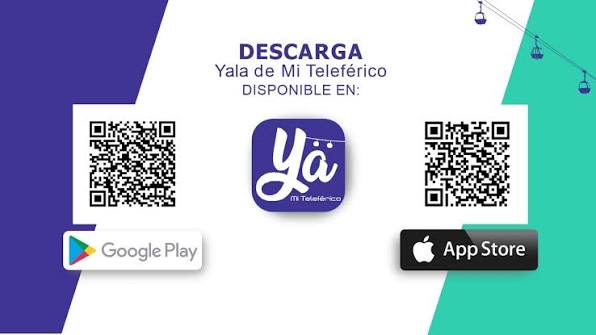
The links point to the official app stores. lapazteleferico.com does not distribute the app.
Physical card or Yala virtual card: which one to get
| Physical card | Yala virtual card | |
|---|---|---|
| Going through the gate | Tap the plastic card | Show the QR code in the app |
| Checking the balance | At the ticket window or the gate | In the app, whenever you like |
| Topping up | Cash, at the ticket window | Online with a bank card, 24/7 |
| If you lose it | You can lose the credit (unless it is a personal card) | The credit is tied to your account |
| Cost | The card is bought at a station | The app is free |
Frequently asked questions about the Yala card
Open the «Yala Mi Teleférico» app: the balance of the virtual card is on the home screen. If you also register your physical cards in the app, you can see their credit without going to a station. The balance of a physical card can also be checked at the ticket window and at the gate itself when you validate.
From the app, under Recargar (top up): choose the amount and pay with a debit or credit card from any bank. The credit is added immediately and you can do it at any time of day. You can also add credit in cash at the ticket windows of any station.
The app is free, and the app is what gives you the virtual card. What you pay for is the credit you load in order to travel. Plastic cards, on the other hand, are bought at the stations — ask at the ticket window for the current price.
Yes — that is the whole point of the virtual card. You go through the gate by showing the QR code generated by the app, with no plastic in your pocket.
Yes, the app calculates the cost of a trip between two stations. You can also do it with the route planner on this site, which additionally tells you which lines to take and how many transfers are involved.
On the La Paz and El Alto network, and also on the Oruro line, which is run by the same state-owned company.
The credit on the virtual card is tied to your account, not to the handset: sign in again on another device and you get your access back. With an anonymous plastic card, by contrast, the credit is lost along with the card.